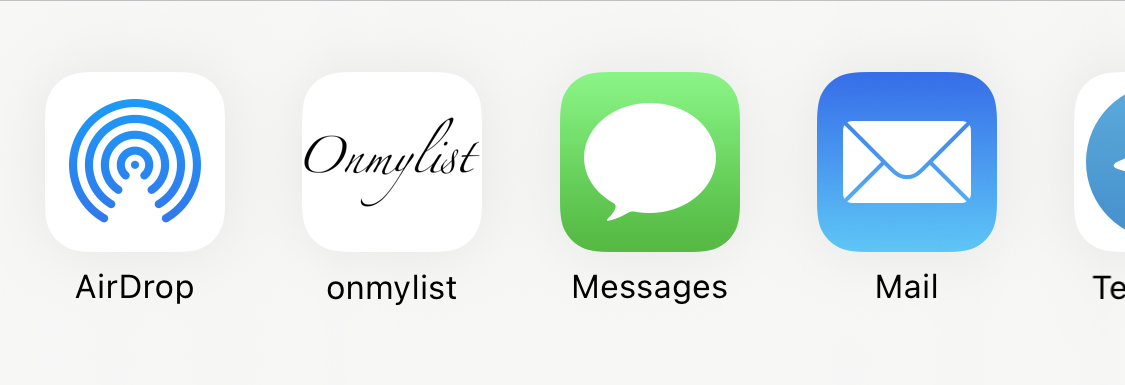

Share or tap +
When you find something you want, either tap the share extension in another app or browser, or use the + icon inside Onmylist.
QR launch
If the handoff does not happen, the landing page is right here.

Save it. Share it. Shop it.
Paste any product URL — Onmylist pulls in the image automatically and drops it into a grid. Organized, visual, shareable.
Share or tap +
When you find something you want, either tap the share extension in another app or browser, or use the + icon inside Onmylist.
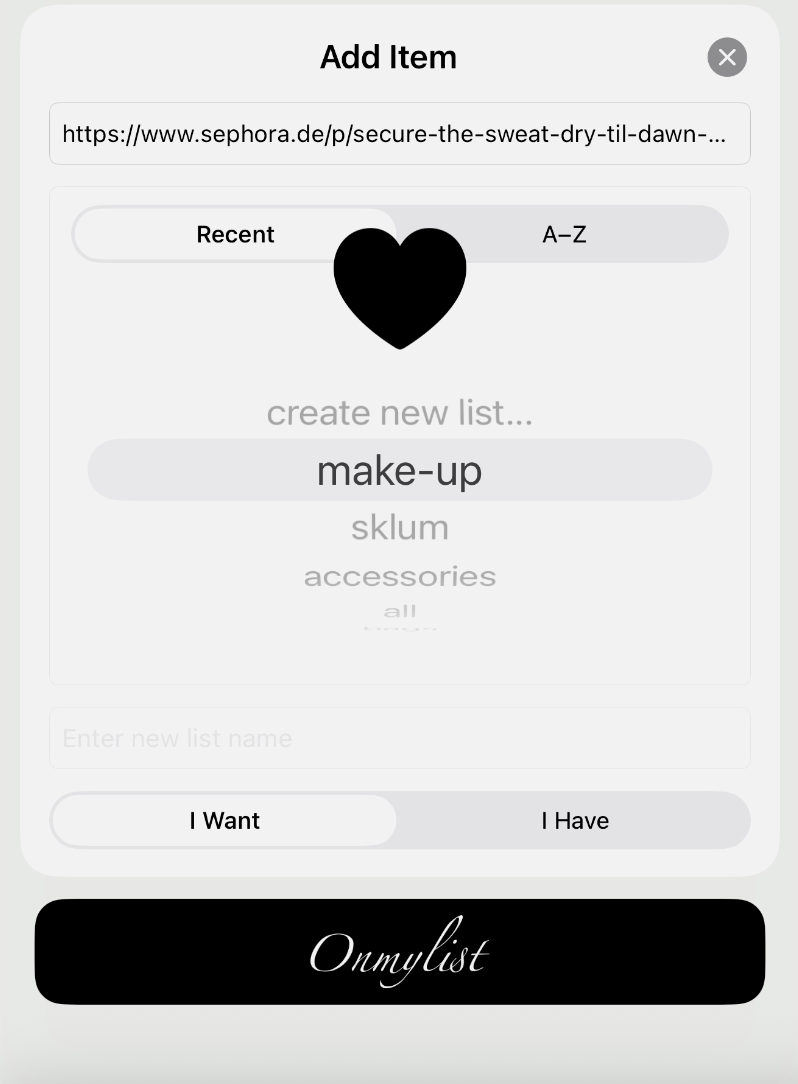
Choose a list
Select the list you want to save to — or create a new one on the spot. Once it’s saved, the item appears in that list and can be reordered anytime.
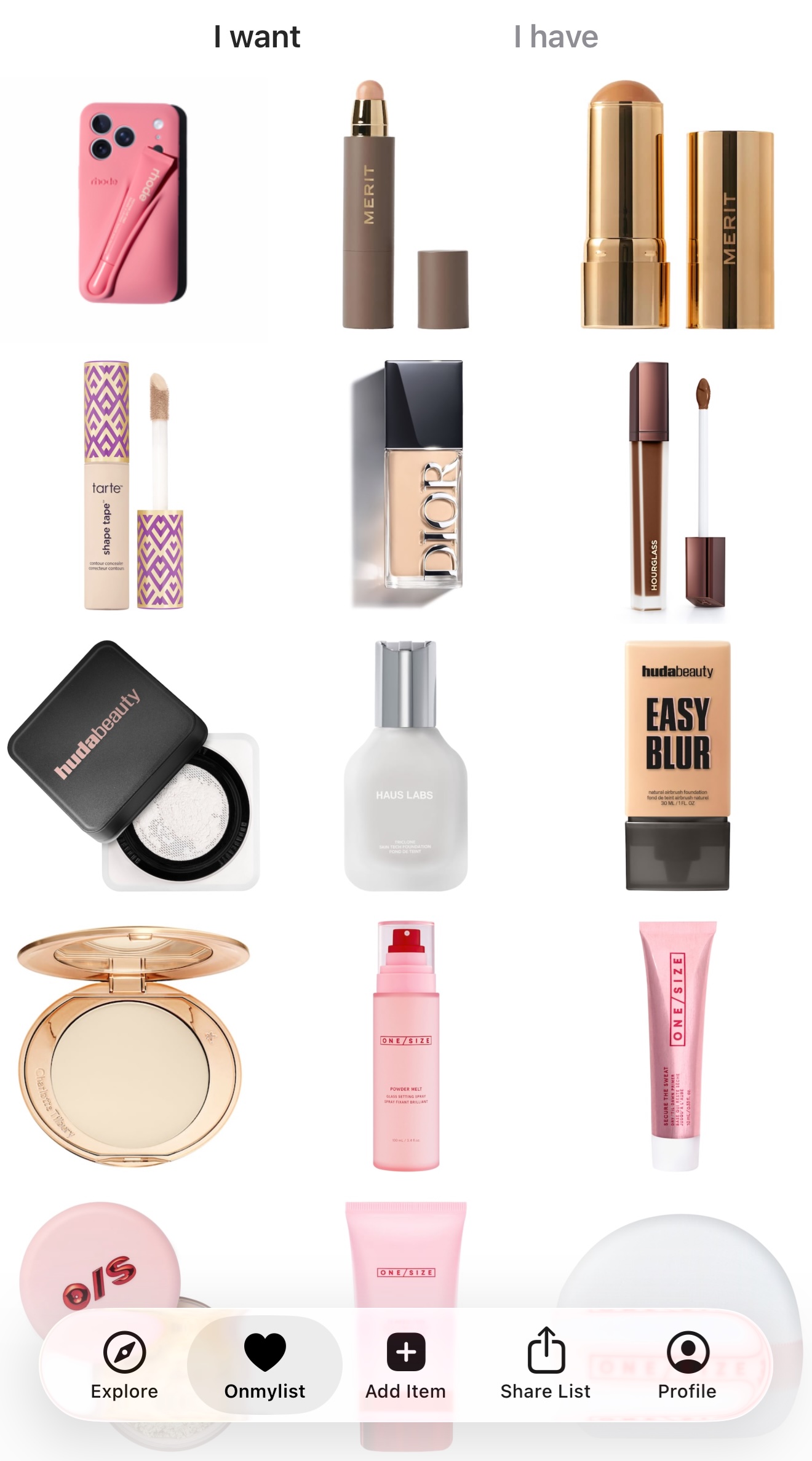
Browse your grid
Your saved items appear as image cards in a clean grid. Scroll, tap, buy — or just admire.
Multiple lists
Wishlist, gift ideas, wardrobe inspo — keep everything in named, separate lists.
I Want — I Have
Mark items as owned to track what you already bought. Let others know what items are worth keeping.
Reorder freely
Drag items to prioritize. Keep the most wanted things front and center.
Product images make browsing fast and enjoyable. No more squinting at tiny URLs or remembering what "blue thing from that site" actually was.
Perfect for fashion, home decor, gifts, tech, or anything you shop for visually.
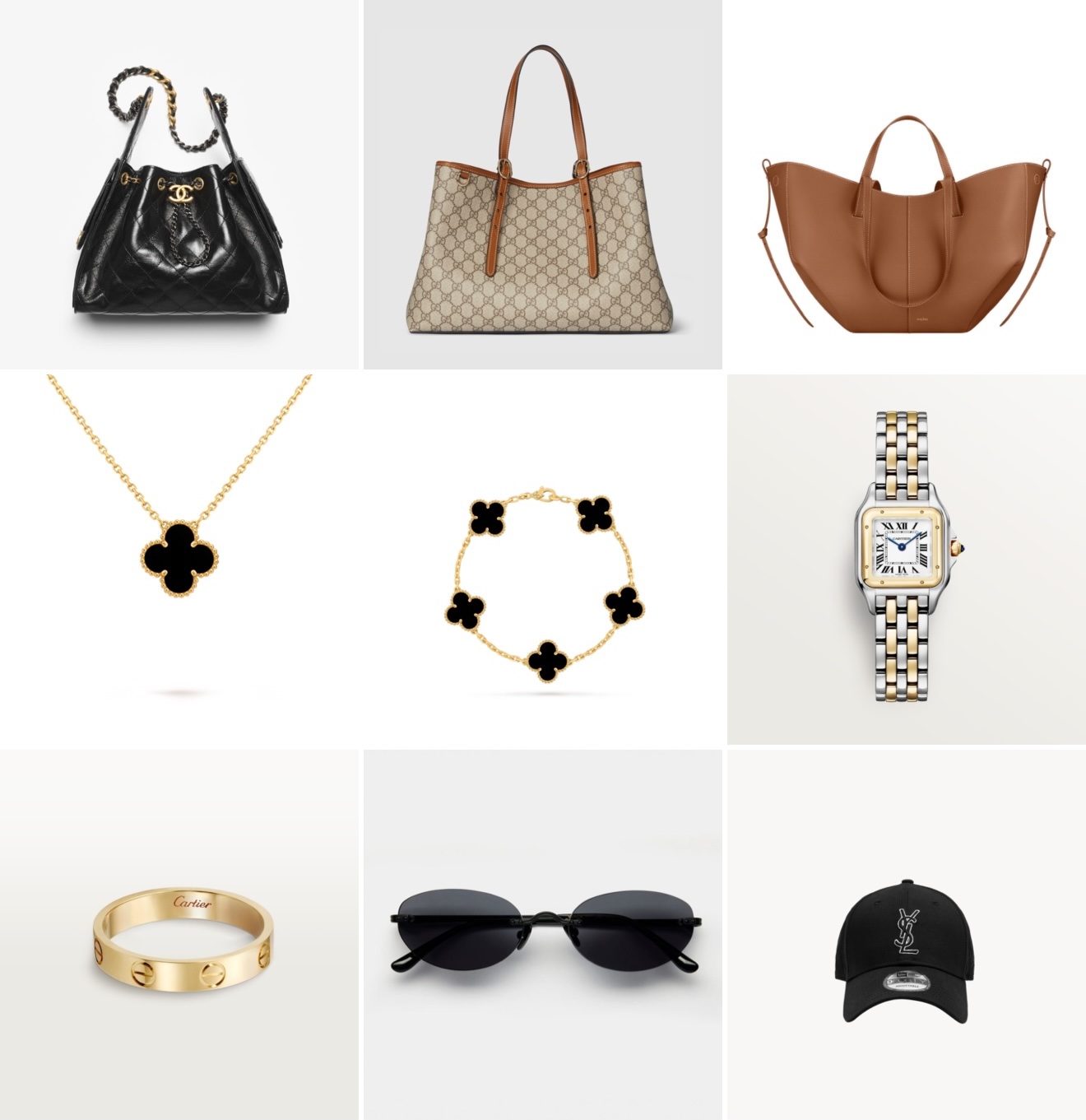
Create public, private, or protected lists and share them with anyone.
Save it. Share it. Shop it.
Paste any product URL — Onmylist pulls in the image automatically and drops it into a grid. Organized, visual, shareable.
Share or tap +
When you find something you want, either tap the share extension in another app or browser, or use the + icon inside Onmylist.
Choose a list
Select the list you want to save to — or create a new one on the spot. Once it’s saved, the item appears in that list and can be reordered anytime.
Browse your grid
Your saved items appear as image cards in a clean grid. Scroll, tap, buy — or just admire.
Multiple lists
Wishlist, gift ideas, wardrobe inspo — keep everything in named, separate lists.
I Want — I Have
Mark items as owned to track what you already bought. Let others know what items are worth keeping.
Reorder freely
Drag items to prioritize. Keep the most wanted things front and center.
Product images make browsing fast and enjoyable. No more squinting at tiny URLs or remembering what "blue thing from that site" actually was.
Perfect for fashion, home decor, gifts, tech, or anything you shop for visually.
Free to download. Start saving products in a visual grid in under a minute.